
Published: Nov 12, 2026 | Last Updated: Jun 11, 2026
Author: Tom Hendrix, CEO & Founder LoyaltycardTools. Tom is a digital entrepreneur with 25 years of experience and founded several succesful SAAS platforms like Coupontools, Smstools & LoyaltycardTools.
In an industry where repeat visits and customer loyalty are critical to sustained success, bakeries are embracing innovative tools to build relationships with new and regular patrons alike. The traditional paper punch card has served its purpose, but in today’s mobile-first world, digital stamp cards redefine convenience, security, and engagement. This comprehensive guide will walk you through setting up a digital stamp card for your bakery—from the benefits to technical setup and proven strategies to maximize results.
Nearly everyone carries a smartphone, so it’s no surprise customers want loyalty programs that are easy to use and always accessible. Digital stamp cards let your patrons collect stamps and rewards without risk of losing a physical card, while providing bakeries with valuable data and easier promotion management.
With modern digital loyalty card solutions, your bakery’s punch card becomes a pass in Apple Wallet or Google Wallet. Customers simply tap their smartphones to access their card, making stamp collection and reward redemption frictionless.
Each time a customer makes a qualifying purchase, the staff can validate the visit via QR code or a secure online dashboard. Stamps are immediately updated on the customer’s digital card.
Once a customer collects the set number of stamps (e.g., buy 9 pastries, get the 10th free), their bakery app or wallet card prompts them to redeem the reward during their next visit.
Start by deciding which purchases will earn a stamp, and what the reward will be. For example, you might offer one stamp per pastry, with a free coffee after 7 purchases. Keep the offer simple, valuable, and easy to explain.
Look for a user-friendly SAAS platform like Loyaltycardtools.com that specializes in digital punch cards and provides automation, mobile wallet integration, notification tools, and analytics. Avoid systems focusing on points or physical cards.
Choose one or more ways for staff to validate each purchase:
Already have a CRM or online ordering platform? Use the built-in Make.com integration to automate the creation or update of digital cards, synchronize customer data, and trigger loyalty events automatically upon qualifying transactions, saving time and reducing manual errors.
Once the customer signs up, they receive a link (via email, SMS marketing, or QR code scan at POS) to add their digital card into Apple Wallet or Google Wallet. This ensures a seamless on-phone experience without needing a dedicated app.
Use Push Notifications and targeted SMS campaigns to remind customers of unredeemed rewards, new product launches, seasonal specialties, or expiring offers.
Refine your offer as needed—if too few customers hit the reward target, consider lowering the stamps required, or periodically offer "double stamp" days for underperforming time slots.
Loyaltycardtools.com also offers solutions for retail and solutions for restaurants—ideal for bakeries that operate as part-café, deli, or retail concept, making the platform scalable and adaptable as your business evolves.
Add playful graphics and copy that matches your bakery’s vibe—warm and welcoming for a family bakery, or sleek and modern for an artisanal patisserie. Make every interaction with your card feel like a treat.
Customers should be able to claim their free item in seconds. Set up clear in-store procedures and empower staff to make reward collection a delightful moment.
Track participation and reward rates, but always respect your customers’ privacy. Use aggregated trends to shape better offers, but don’t overwhelm users with too many messages.
Boost excitement by offering special “bonus stamp” days tied to holidays, bakery anniversaries, or new product launches. This keeps your loyalty program top-of-mind and encourages incremental purchases.
Partner with nearby coffee shops or local florists for cross-promotions (e.g., a bonus stamp when customers show a receipt from your neighbor). Neighborhood synergy can attract new foot traffic and build community goodwill.
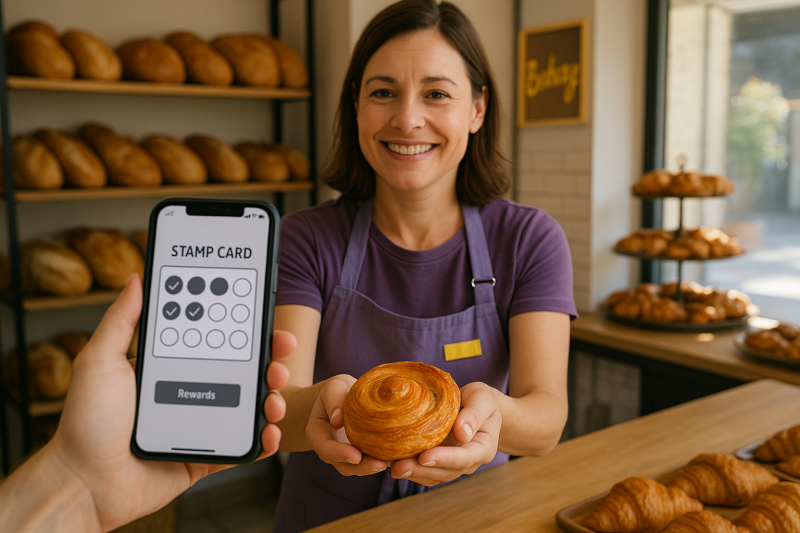
Ready to turn new customers into loyal regulars and keep your regulars coming back? Seamlessly launch your bakery’s punch card in minutes. Start your free trial
Customers collect digital stamps for qualifying purchases by having staff validate each visit. Stamps accumulate on a mobile wallet card, and a reward is issued when the milestones are reached. No physical cards are needed, making loyalty seamless and secure.
Display a QR code at your counter and on promotional materials, linking directly to your sign-up page. Customers can scan, fill out basic info, and instantly add the card to their Apple or Google Wallet.
Staff can scan a QR code at the register or use the Loyaltycardtools.com dashboard to add stamps, ensuring rapid, secure validation each time a customer qualifies.
Yes, integration via Make.com enables automatic customer enrollment, stamp updates, and reward issuance based on transactions recorded in your CRM or online shop platform.
You can set any number of stamps per card, but common best practice is 5–12 for high-frequency bakeries. Consider your sales cycle and reward value when designing the program.
Yes. Digital stamp cards eliminate paper and ink waste, aligning your bakery with modern, eco-conscious values.
Push notifications gently remind users of unredeemed rewards, new offers, or seasonal specials, increasing engagement, return visits, and satisfaction.
Absolutely. SAAS platforms like Loyaltycardtools.com allow you to change offers, messaging, or design with a few clicks, instantly updating all active cards.
You can review the flexible subscription levels on the Pricing page.


LoyaltycardTools © 2026 — All rights reserved. X.I.S. B.V. · Company registration ID: BE0821.588.020. Terms and conditions | Sitemap
