
Published: Sep 23, 2026 | Last Updated: Sep 18, 2026
Author: Tom Hendrix, CEO & Founder LoyaltycardTools. Tom is a digital entrepreneur with 25 years of experience and founded several succesful SAAS platforms like Coupontools, Smstools & LoyaltycardTools.
In an era where digital convenience defines customer engagement, small businesses must stay ahead by offering seamless, mobile-first loyalty experiences. Apple Wallet passes have become a cornerstone of modern customer retention—delivering easy access, real-time updates, and direct communication right onto your customers’ smartphones. Whether you need a punch card, membership card, or digital loyalty card, an Apple Wallet pass generator can revolutionize how you connect with your clientele.
This in-depth guide explores everything you need to know about creating Apple Wallet passes using a powerful, easy-to-use generator. Discover practical steps, integration tips, best practices, and advanced strategies to maximize your mobile wallet loyalty program’s potential—and ensure your business stands out in a competitive landscape.
An Apple Wallet pass generator is a cloud-based tool that allows businesses to design, distribute, and manage digital cards accessible on iPhones via Apple Wallet. Unlike traditional paper or plastic loyalty cards, these passes are always at hand, easy to update, and can trigger engagement via push notifications or SMS marketing.
With a specialized platform like Loyaltycardtools.com, you can generate:
Each pass is customizable, supports unique branding, and enables you to connect with your customers like never before.
Your loyalty program resides in your customer’s pocket—no more forgotten plastic cards. Apple Wallet passes are instantly accessible and require no app download.
Communicate instantly with customers through push notifications and in-wallet updates—send reminders, offers, or status changes directly to their device.
Eliminate printing costs and the environmental impact of physical cards by switching to digital passes.
Simplifies check-ins, rewards, and validations with a quick scan or tap—making customer journeys frictionless.
Connect your CRM or webshop effortlessly using ready-made integrations, such as Make.com, to automate tasks like pass issuance, updates, and status checks.
Ready to elevate your loyalty program? Start your free trial
A premium Apple Wallet pass generator offers:
Choose a platform built specifically for small businesses, so setup takes minutes—not weeks or months.
Start with easy-to-use design templates or full customization. Upload your business logo, set brand colors, and define your pass type: punch card or membership card.
Add required fields (name, member number, email, etc.), barcode or QR codes for validation, and any custom content you wish to display.
Use Make.com integrations to automatically issue passes from your webshop or CRM, trigger updates based on customer actions (like purchases or visits), and keep customer data in sync.
Send links via email, SMS, or embed directly on your website. Customers simply tap the link and add the pass to Apple Wallet in seconds.
Scan the pass using a validation device or via a compatible app at the point of sale to increment stamps or mark visits, issuing rewards instantly and securely.
Perfect for coffee shops, bakeries, salons, and similar businesses, digital punch cards reward repeat visits or purchases. Configure the number of punches needed to earn a reward and automate the process for accuracy and security.
Gyms, clubs, event organizers, and professional associations can issue mobile membership IDs, streamlining entry and member benefits while reducing administrative overhead.
Learn more about the Digital membership card solution.
Push notifications are a powerful feature of Apple Wallet passes. They keep your business top of mind by sending reminders, exclusive offers, event notices, or reward status changes—right to the lock screen of your customer’s iPhone.
SMS marketing and notifications drive further engagement, ensuring you reach customers not only via the wallet pass but also through direct text communication. Segment your audience, personalize your messages, and automate your outreach for maximum effectiveness.
Make.com empowers your loyalty workflow by connecting your existing CRM, webshop, or booking platform to your wallet pass program. Automate pass creation, updates, and status changes based on triggers like new customer sign-ups, purchases, or membership payments.
Example processes include:
This level of automation saves time, reduces errors, and enhances customer experience—no technical coding required.
Apple Wallet passes are inherently secure, as each pass is uniquely signed and encrypted. To maximize protection of your customers' data and your own business reputation, follow these best practices:
Always transparently communicate with customers about how their data is used and never use passes for purposes beyond what is intended.
Your digital pass should reflect your brand identity:
Investing in consistent, high-quality design not only boosts brand recognition but also increases the likelihood that customers will keep and use your digital card.
See more about customization options for your digital loyalty card.
Start your free trial and see how easy and effective it is to generate and manage Apple Wallet passes for your business.
Modern SAAS platforms provide flexible, scalable pricing based on your business needs. Compare plans in detail on the pricing page to assess features like card volumes, push notification limits, and automation options.
The shift from paper/plastic cards to digital passes delivers rapid ROI by reducing operational costs, improving customer retention, and delivering actionable data insights—all for a predictable monthly fee.
Your success story could be next. Start your free trial today.
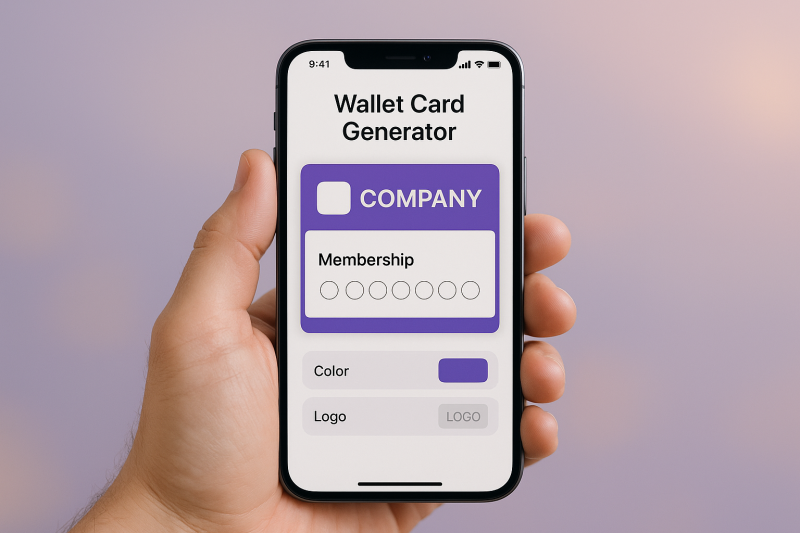
Utilize clear instructions, on-screen prompts, and staff training to help customers add passes with a single tap. Display a QR code in-store linking directly to your card.
Use secure QR or barcodes that change on each use and prevent double-stamping. Advanced validation ensures rewards go to eligible users only.
Segment campaigns, schedule notifications, and use dashboard analytics to organize large-scale loyalty programs.
Connect your loyalty program to platforms such as Shopify, WooCommerce, or your existing CRM via Make.com. Automate the creation and updating of passes to provide a frictionless experience for both staff and customers. API-based integrations can synchronize customer data, validate rewards, and manage membership statuses without manual intervention.
With consumer demand for seamless mobile experiences increasing, the trend toward digital wallet passes is accelerating. Expect new features, advanced personalization using AI-driven analytics, and deeper integrations with POS and payments ecosystems.
Small businesses that adopt Apple Wallet pass generators will differentiate their brands, foster loyalty, and unlock valuable data-driven growth opportunities.
Launching your digital loyalty program with an Apple Wallet pass generator is one of the fastest, most effective ways to modernize your business and build enduring customer relationships. By leveraging automation, mobile access, and rich engagement features, you ensure your brand’s loyalty program is always at your customer’s fingertips.
Ready to get started? Explore free trials, see real results, and take your customer retention strategies to the next level today.
An Apple Wallet pass generator is a tool or platform that lets businesses create, distribute, and manage digital cards (like punch cards or membership cards) that customers can add to their Apple Wallet app on iPhone for instant access and engagement.
Customers receive a link via SMS, email, or QR code. By tapping the link, the pass opens in Apple Wallet for one-tap saving. No additional apps are needed.
Yes. With integrations like Make.com, you can automatically issue and update digital passes upon triggers such as purchases, sign-ups, or membership renewals.
Yes. Each pass is digitally signed and encrypted, and your provider should be GDPR-compliant, protecting both you and your customers’ data.
You can create punch cards for visit-based rewards and membership cards for identification or exclusive access. Both can be fully branded and customized through a digital loyalty card platform.
Yes, push notifications and SMS can be sent to cardholders to announce offers, send reminders, or update loyalty status, all managed from your pass generator dashboard.
Use secure QR codes or barcodes, automated validation, and real-time status updates to protect against double-stamping and unauthorized rewards.
Costs vary by volume and features. Refer to the pricing page for up-to-date plans. Many providers, including us, offer a free trial.
With ready-to-use templates and automation, you can launch in as little as an hour. No technical expertise required—just sign up and customize your card.


LoyaltycardTools © 2026 — All rights reserved. X.I.S. B.V. · Company registration ID: BE0821.588.020. Terms and conditions | Sitemap
