
Published: Sep 28, 2026 | Last Updated: Jun 11, 2026
Author: Tom Hendrix, CEO & Founder LoyaltycardTools. Tom is a digital entrepreneur with 25 years of experience and founded several succesful SAAS platforms like Coupontools, Smstools & LoyaltycardTools.
In an era where customer engagement and loyalty are paramount, the traditional plastic membership card is quickly becoming obsolete. Digital membership cards offer a modern, cost-effective, and eco-friendly alternative that seamlessly fits into your customers' digital lifestyles. As a small business owner, leveraging digital membership cards can be a game changer, improving retention rates, streamlining communication, and offering delightful brand experiences with a fraction of the effort and cost.
Unlike plastic cards that require printing and mailing, digital membership cards can be created and distributed instantly. This not only saves on production costs but also supports your green business initiatives by reducing waste.
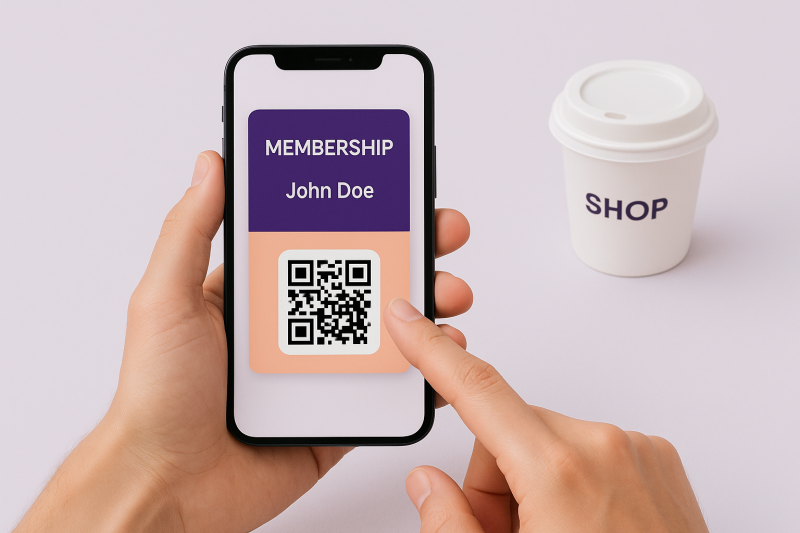
Customers carry their smartphones everywhere. Digital membership cards live directly inside Apple Wallet and Google Wallet, making them instantly accessible. No more rummaging through wallets or drawers for forgotten cards — your brand stays top-of-mind and at your customers’ fingertips.
Leverage features like instant updates, push notifications, and SMS marketing (for promotions and reminders) to drive more visits. Personalize communications based on customer preferences and activity, building a stronger bond and encouraging repeat business.
With automation tools like Make.com, you can synchronize your digital membership program with your existing CRM or shop systems, streamlining operations and data management so you can focus on growing your business.
Here’s the good news: creating a digital membership card is easier than ever. Let’s walk through the essential steps using the Loyaltycardtools.com platform.
You can start for free. Gain access to all key features and design your first card in minutes. Start your free trial
Decide if you want to create a membership card (ideal for clubs, associations, or VIP programs), or a digital punch card for businesses rewarding customers with stamps or visits. For memberships, select the membership template for maximum customization.
Configure how and when cards can be used. You can set restrictions by date, event, or usage limit, and control validation in-store or online for membership check-ins, discounts, or special events.
Using the Make.com automation modules in Loyaltycardtools.com, effortlessly synchronize member data with your CRM, email platform, or webshop. This not only saves time but also ensures your customer data is always up-to-date.
There are several fast ways to distribute digital cards:
Monitor member engagement, renewal rates, and the success of your communications using Loyaltycardtools’s dashboard. Identify your most loyal customers, and tailor your offers for maximum engagement.
Update card content in real-time – change membership levels, renewals, or event details without reissuing cards. Members always have the correct information.
Send push notifications about events, special rewards, or renewals. With high open rates, your communications won't get buried as they often do with email.
Control how cards are validated: at check-in, POS, or online. Set limits, usage windows, and track each member’s activity for smarter reward management.
Automate tasks with Make.com and other systems – enroll new members, renew memberships, or trigger rewards based on customer actions without manual input.
Whether you have 50 or 50,000 members, digital cards scale with your business. Add custom fields, adapt card design, and configure workflows for every segment or location.
Minimize friction: use online forms, QR codes, and clear instructions. The easier it is for customers to join, the faster your membership base grows. Highlight one-tap add to wallet for seamless onboarding.
Segment your members by activity, interests, or tier. Personalize offers and communications to deliver more relevant experiences that boost engagement and loyalty.
Use a mix of push notifications, SMS, and email to reach your audience wherever they are, maximizing program engagement.
Reward members who refer friends or leave testimonials to drive organic growth and word-of-mouth advocacy.
Use analytics to see which messages and benefits drive the most participation. Continuously refine your program based on insights.
Powerful automation is just a few clicks away. Here’s how to connect Loyaltycardtools.com to your existing CRM or webshop using Make.com:
This no-code approach saves hours of manual work and keeps your membership data perfectly synchronized across systems.
Tracking program performance is core to maximizing value. With digital membership cards, you gain access to:
By making data-driven adjustments, small businesses can maximize the utility of their digital programs and improve loyalty, retention, and sales.
Digital membership cards are affordable for businesses of all sizes. For a full breakdown, see our pricing page. Remember: with no hardware, printing, or postage required, most businesses recover costs quickly through increased loyalty and engagement.
Ready to see the benefits for yourself? Creating your own digital loyalty card or membership card is quick, simple, and risk-free. Empower your business with smart digital solutions tailored for small business owners.
Start your free trialAlready have a marketing agency or looking for scalable solutions for clients? Discover our solutions for agencies.
Digital membership cards represent the future of customer loyalty: smart, simple, and scalable. They enhance engagement, simplify management, and help small businesses punch above their weight in a competitive market. With intuitive tools, automation, and analytics, you can launch a compelling loyalty or membership program in mere minutes — no technical expertise required.
Grow your business. Reward your loyal customers. Stand out from the crowd — all starting today with your own digital membership card.
Start your free trialA digital membership card is an electronic pass that lives in a mobile wallet (like Apple Wallet or Google Wallet), providing customers with quick access to membership information, benefits, and validation.
With Loyaltycardtools.com, you can design and launch a fully functional digital membership card in just minutes — no coding or technical skills required.
Yes. You can fully brand your digital membership card, add your logo, colors, and tailor data fields to your specific requirements.
Loyaltycardtools.com generates cards that are compatible with both Apple Wallet and Google Wallet, covering all major smartphones.
Yes. Push notifications can be set up to alert members about offers, events, or important updates directly on their phones.
Cards can be delivered via email, QR code, or direct link, making distribution flexible and convenient.
Absolutely. You can connect Loyaltycardtools.com to your CRM or web shop using Make.com for seamless data synchronization.
Members can easily reinstall their card by re-accessing the original email, QR code, or link sent during enrollment.
No additional hardware is necessary. Validation can happen using an existing device or browser, making in-store adoption hassle-free.


LoyaltycardTools © 2026 — All rights reserved. X.I.S. B.V. · Company registration ID: BE0821.588.020. Terms and conditions | Sitemap
