Published: May 16, 2026 | Last Updated: Sep 16, 2025
Author: Tom Hendrix, CEO & Founder LoyaltycardTools. Tom is a digital entrepreneur with 25 years of experience and founded several succesful SAAS platforms like Coupontools, Smstools & LoyaltycardTools.
Unlock Customer Loyalty: Why Custom Punch Cards Still Work
In an age where digital convenience is king, small businesses are rediscovering the power of custom punch cards—now supercharged with mobile-friendly technology. Digital punch cards provide a tactile, rewarding experience, encouraging repeat visits in a way that point-based or complex systems simply can’t match. Offering a digital punch or stamp for each visit keeps loyalty programs simple, engaging, and memorable for your customers. But how exactly do you create a custom punch card that fits your brand, integrates smoothly into your daily operations, and delivers real value?
What Is a Custom Digital Punch Card?
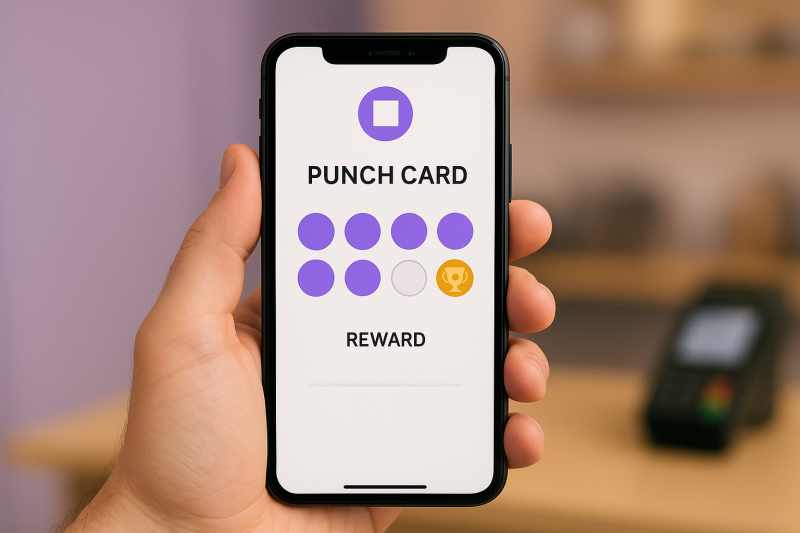
A digital punch card is an electronic loyalty card, typically stored in a customer’s mobile wallet (like Apple Wallet or Google Wallet), that tracks purchases or visits. Instead of carrying around a stack of paper cards, customers can easily earn and redeem punches via their smartphone. Custom digital punch cards let you personalize design, rewards, and tracking—offering a seamless, modern customer experience engineered for retention.
Benefits of Going Digital With Your Custom Punch Cards
Always with the customer: Digital punch cards live on smartphones—no more losing or forgetting cards.
Real-time updates: Instantly validate and update punches at the point of sale.
Reduced fraud: Secure stamp validation prevents manipulation or counterfeiting.
Personalized communication: Send push notifications and SMS marketing to re-engage customers, remind them of rewards, or promote special offers.
Data-driven insights: Track participation and redemption rates to refine your loyalty strategy.
Eco-friendly: No need for printed cards—go green and save on printing costs.
Step-by-Step: How to Create Your Custom Digital Punch Card
Customize Your Card Design
Upload your logo, choose brand colors, and personalize reward descriptions—create a punch card that stands out and matches your business identity.
Set Punch Goals and Rewards
Decide how many punches customers need to earn a reward (e.g., "Buy 5 Coffees, Get 1 Free"). Simple reward milestones are easy to understand and motivate increased visits.
Enable Validation Options
Choose how you want punches to be validated—such as by staff using a secure dashboard or QR code scanner. This ensures fraud prevention and smooth in-person redemptions.
Automate Management & Integrate With Tools
With Loyaltycardtools, you can link your punch card system to your existing CRM, online shop, or booking system with Make.com integrations—driving automation and saving time.
Leverage Engagement Features
Use push notifications or SMS to nudge customers when they’re close to a reward or to remind them of new offers and events.
Start your free trial
Track Results
Access dashboards that show redemption rates, customer frequency, and campaign effectiveness. Use these insights to adjust your promotions or reward thresholds.
Design Tips: Making Your Custom Punch Card Look Professional
Keep your design clear: Ensure reward milestones and business info are easy to read.
Consistent branding: Use your logo, colors, and font styles for recognition and trust.
Include a call-to-action: Motivate users to complete punches by clearly stating the reward (e.g., "Only 2 Stamps Away From a Free Pastry!").
Cafes: Buy 9 coffees, get the 10th free. Show progress with a fun, branded punch animation on each visit.
Salons: After 5 haircuts, get a complimentary hair product.
Gyms or Studios: Attend 10 classes, enjoy one free group session.
Bakeries: Collect 6 punches, receive a free pastry. Feature seasonal graphics for a creative touch.
Ready to see these in action? Design your digital punch card today—no technical skills needed!
Start your free trial
How to Validate Punches Securely
A major advantage of digital punch cards is fraud prevention. With secure staff validation via a real-time dashboard or QR code scan, you control who receives punches—eliminating the risk of card duplication or stamp counterfeiting.
Advanced Features to Maximize Your Punch Card Program
Push Notifications: Instantly reach customers with reminders or special deals.
Automation: Connect with your favorite CRM or online shop using Make.com for automatic creation or updates of loyalty cards.
Analytics: Deep-dive into usage trends to see your loyalty program's real ROI.
Discover our straightforward pricing and enter the world of hassle-free digital loyalty.
Why Choose Loyaltycardtools.com for Custom Punch Cards?
Fast setup and no IT headaches
Professional templates or full design control
Seamless integrations and automation
Scales with your business
Reliable customer support
Frequently Asked Questions
How many punches should my loyalty card have?
Most businesses choose 5–10 punches for a reward. Select a number that fits your sales cycle and keeps customers motivated.
Can I update rewards or design after launching?
Yes, digital cards can be updated instantly from your Loyaltycardtools dashboard, so you can refine your offer anytime.
Is technical knowledge required to set up a punch card?
No coding needed! The platform is designed for ease-of-use with guided setup and templates.
How does digital validation work?
Your staff can use a secure dashboard or scan a QR code to give punches. Only authorized staff can assign punches.
Can I integrate with my webshop or CRM?
Absolutely! Use our Make.com integration to automate linking your customer data, creating new cards, or updating rewards based on sales.
Conclusion: Start Building Customer Loyalty Today
Custom punch cards remain one of the most cost-effective, accessible ways for small businesses to drive repeat business. With mobile wallet integration, automated marketing, and flexible reward structures, your digital punch card program can transform casual buyers into loyal customers. Ready to strengthen your brand’s relationship with its community?